The Settings Menu Is a Weapon: How Singularity's Accessibility Options Rewired Ranked
Every ranked season grows its own bogeyman. Last year it was a slide-cancel build that turned corner peeking into a coin flip. This year, the most argued-about edge in Singularity isn't a weapon, an ability, or a spawn trick. It's a submenu.
Specifically, it's the accessibility tab — the one most players clicked through once during the tutorial and never opened again. Buried in there are colorblind palettes, directional audio pings, remappable everything, and subtitle timing sliders that go further than anyone expected. For a lot of gamers, those options are the difference between playing and not playing. For a smaller, louder group, they're a tactical toolkit.
Both things are true at once, and that's what makes this interesting.
The Edge Nobody Advertises
Spend ten minutes in a high-rank lobby on US East and you'll hear the rumors. "Turn on mono audio, you can hear the flank." "Drop the motion blur, it's basically a wallhack." Most of it is exaggeration. Some of it isn't.
The settings menu in Singularity is unusually deep for a game that also ships a cinematic campaign and a very loud robot villain. The accessibility lead, Priya Raman, says that was deliberate. "We built the menu around the assumption that players would need different things on different days," she told me. "A migraine day. A noisy apartment. A controller with a drifting stick. Accessibility settings aren't a niche feature — they're a quality-of-life layer that happens to be essential for some players."
That philosophy is good. It's also, almost by accident, a competitive sandbox.
What's Actually Under the Hood
The menu breaks into four rough buckets, and each one has a competitive shadow.
Visual clarity. There are four colorblind palettes, plus a high-contrast enemy outline toggle, HUD scaling from 80% to 130%, and minimap marker shapes that replace color coding entirely. There's also a reduced-motion setting that trims screen shake, weapon kick, and some particle effects.
Audio cues. This is the big one. Singularity's sound team built directional threat pings for off-screen gunfire and ability wind-ups, originally so deaf and hard-of-hearing players could read the battlefield. The menu lets you route those pings through a mono downmix, boost them independently of music, and add visual direction markers on the HUD.
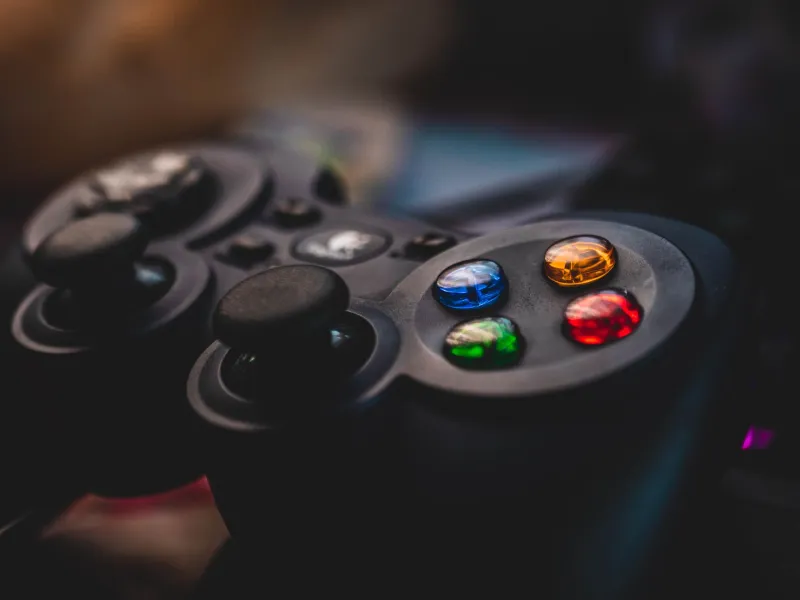
Input. Every action is remappable, including hold-versus-toggle behavior for dodge, crouch, and ability confirmation. Deadzone and aim response curve sliders go from "floaty" to "twitchy."
Subtitles and text. Timing can stretch to 150%, speaker labels can be turned on, and subtitle size goes up to a genuinely huge setting. Background opacity is adjustable so text stays readable against Singularity's neon-and-rust art direction.
None of that is secret. It's all in the menu. The question is what happens when thousands of players start optimizing it.
Where Inclusion Stops and Tactics Start
Cass, a legally blind streamer based in Portland, has been playing Singularity since the open beta. She runs the mono audio mix with threat pings at full and subtitles at 140%. "Without the pings, I can't play ranked at all," she said. "It's not a bonus. It's the floor."
That's the part competitive players sometimes miss. The settings that feel like a clever edge to a fully sighted player are, for someone else, the only reason the game is playable. Raman is blunt about it: "We are not going to nerf settings that make the game accessible just because they also happen to be useful. That would be punishing the wrong people."
Still, the dev team is watching. Raman confirmed they track which settings correlate with win rate at high ranks and that they've had internal conversations about "informational asymmetry" — cases where a setting reveals something the base game doesn't surface. So far, they haven't found a setting that crosses that line. Reduced motion is a visual preference that also cuts clutter. Audio pings are an accessibility feature that also helps you hear a flank. Neither is an exploit in the traditional sense.
Marcus "Vex" Delgado, a top-500 ranked player who streams out of Austin, sees it more pragmatically. "Every competitive game has a settings meta," he said. "In CS it was stretched resolutions. Here it's the audio tab. The difference is this one actually helps people."
Three Setups Worth Stealing
If you're going to raid the menu anyway, do it with intention. These are the three configurations that come up most often in high-rank discussion, and each one has a clear trade-off.
The Auditor (audio-first). Mono audio on, threat pings at 100%, music at 25%, subtitles on with speaker labels and 120% timing. Good for players who queue with voice chat off or who play on US East late at night when callouts dry up. The trade-off is a flatter soundstage for music and ambient detail.
The Clean Frame (visual clarity). Reduced motion at medium, high-contrast enemy outlines on, deuteranopia high-contrast palette, minimap marker shapes, HUD scale at 90%. This is the setup people call a "wallhack" and it isn't one — it just makes enemies easier to pick out against Singularity's very busy backdrops. The trade-off is that the game looks a little less like the trailer.
The Grip Reset (input). Dodge remapped to the left bumper, hold-to-confirm turned off for abilities, deadzone at 4%, reticle set to a simple dot. This one is less controversial and more universally useful, especially for controller players fighting stick drift.
My advice: change one bucket at a time. Give it a week. If your accuracy or survival rate doesn't move, revert it. The menu is deep, but it isn't magic.
What the Devs Will and Won't Touch
Raman says there are no plans for a separate "accessibility-free" playlist, and that splitting the player base would defeat the point. What the team is considering is an opt-in tournament preset — a standardized settings spec for competitive events, so organizers don't have to police 40 toggles before every match.
That feels like the right compromise. The ladder will always optimize. The honest move is to be transparent about what's on the menu, why it's there, and who it's for.
The Bottom Line
Singularity's accessibility settings are not a cheat. They're a well-built feature that a competitive community has started treating like a loadout. The players who need them most were there first, and they shouldn't have to apologize for that. The rest of us can borrow their homework — carefully, and with credit.
If you're queueing tonight, open the menu. Not because it'll make you a better player, but because it might make the game fit you better. The wins are a side effect.